MarinOak Owner Portal — Owner Onboarding Guide
Welcome to MarinOak property management. This guide walks you through your Owner Portal: a private dashboard where you can see, at any time, exactly how your properties are performing — rent collection, occupancy, maintenance activity, and most importantly, the full financial picture behind every distribution you receive.
All screenshots in this guide show sample data for a fictional owner. Your portal will show your own properties and figures.
1. Getting Started — Your Invitation & First Login
When we set up your account, you'll receive an email:
- From: MarinOak Properties (
[email protected]) - Subject: "You've been invited to MarinOak Admin"
It contains your temporary password and a "Log In" button. If you don't see it within a few minutes, check your spam folder.
Click the login button (or go directly to the portal login page) and sign in — type your email address into the field labeled "Username", and the temporary password from the email below it.
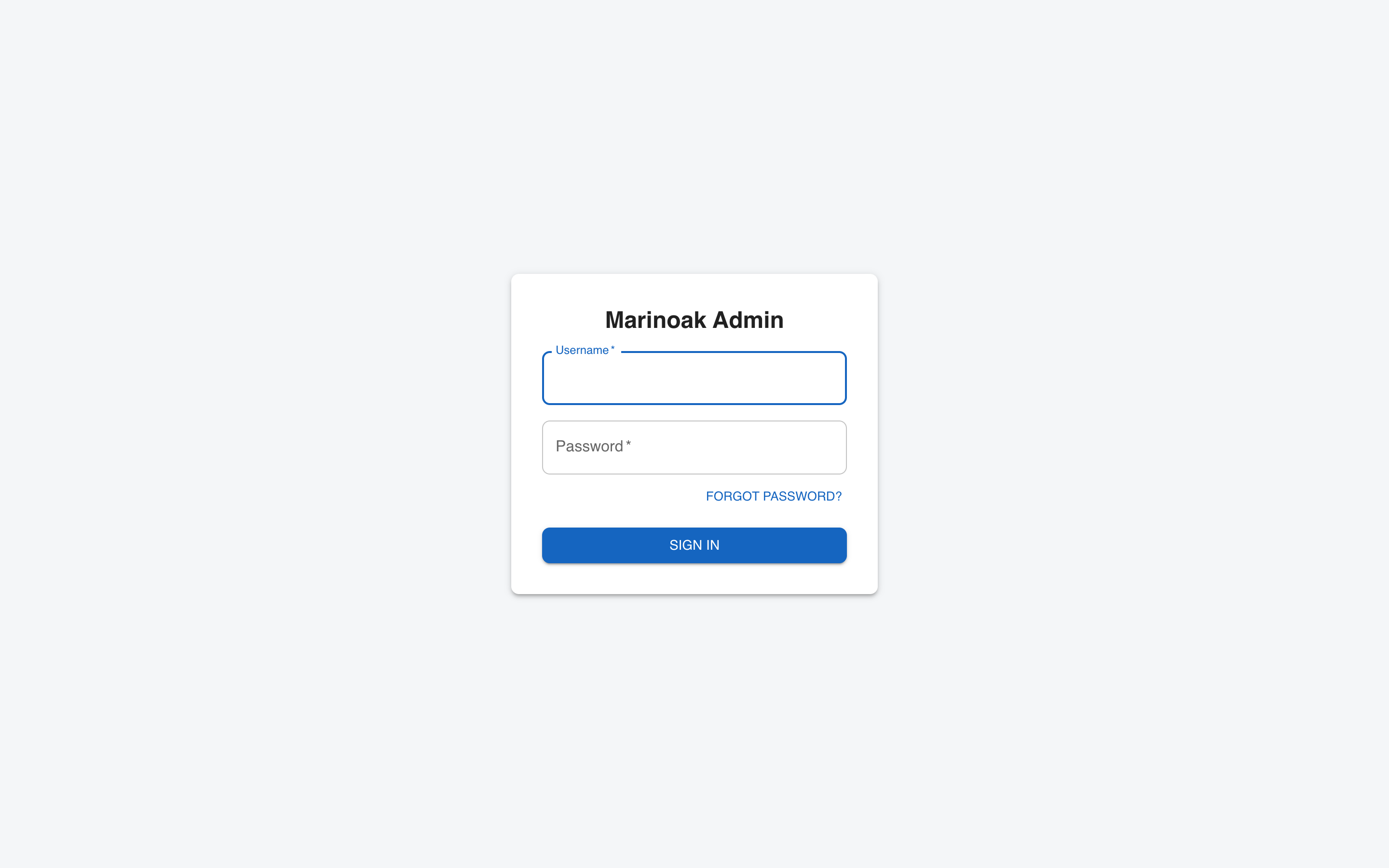
On your first login, you'll be asked to set a new password. (The screen says your temporary password has expired — that's normal and expected.) Choose one that is at least 8 characters. After that, the temporary password is gone for good — only you know your password.
Forgot your password? Click "Forgot password?" on the login page, enter your email, and you'll receive a verification code to set a new one. No need to call us.
Once signed in, you land on your Dashboard. The left sidebar has five sections — that's your whole portal:
| Section | What it shows |
|---|---|
| Dashboard | This month at a glance: rent collected, occupancy, alerts |
| Properties | Every unit you own: tenant, rent, lease end, listing status |
| Financials | Income, expenses, fees, and your net distribution by period |
| Maintenance | Open and recently closed work orders, with costs |
| Documents | Your executed agreements and leases, downloadable as PDF |
2. Dashboard — Your Monthly Snapshot
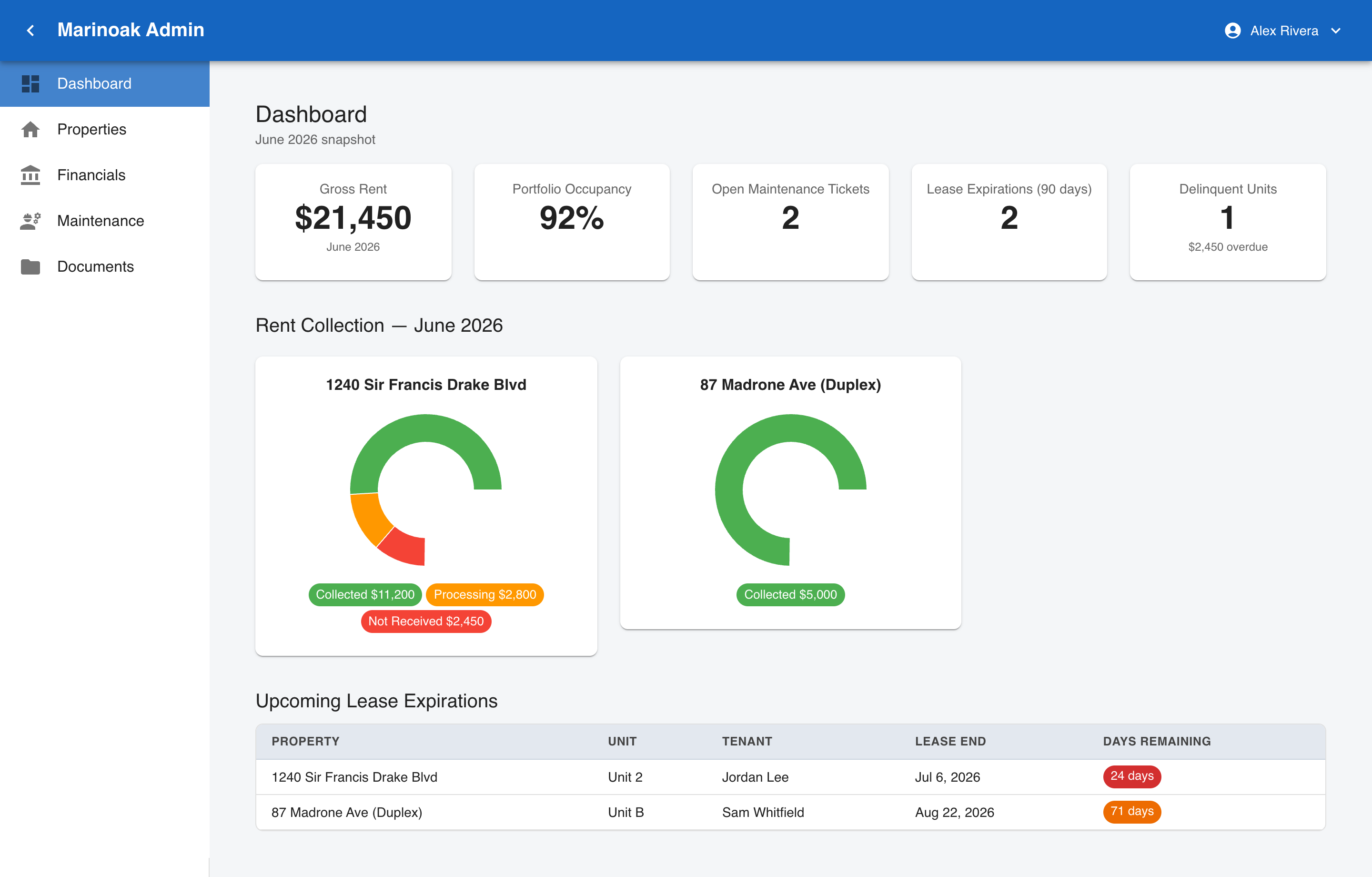
The Dashboard answers "how is my portfolio doing right now?" in one screen:
KPI cards (top row):
- Gross Rent — total rent billed across your properties this month.
- Portfolio Occupancy — percentage of your units currently rented.
- Open Maintenance Tickets — active work orders across your properties.
- Lease Expirations (90 days) — leases ending soon, so renewals never sneak up on you.
- Delinquent Units — units with past-due balances, including the total amount overdue.
Rent Collection — one donut chart per property showing this month's rent as Collected (green), Processing (orange — payment initiated, funds in transit), and Not Received (red).
Upcoming Lease Expirations — each expiring lease with the tenant, end date, and days remaining. Red chips mean 30 days or less; we'll already be working the renewal by then.
3. Properties — Your Rent Roll
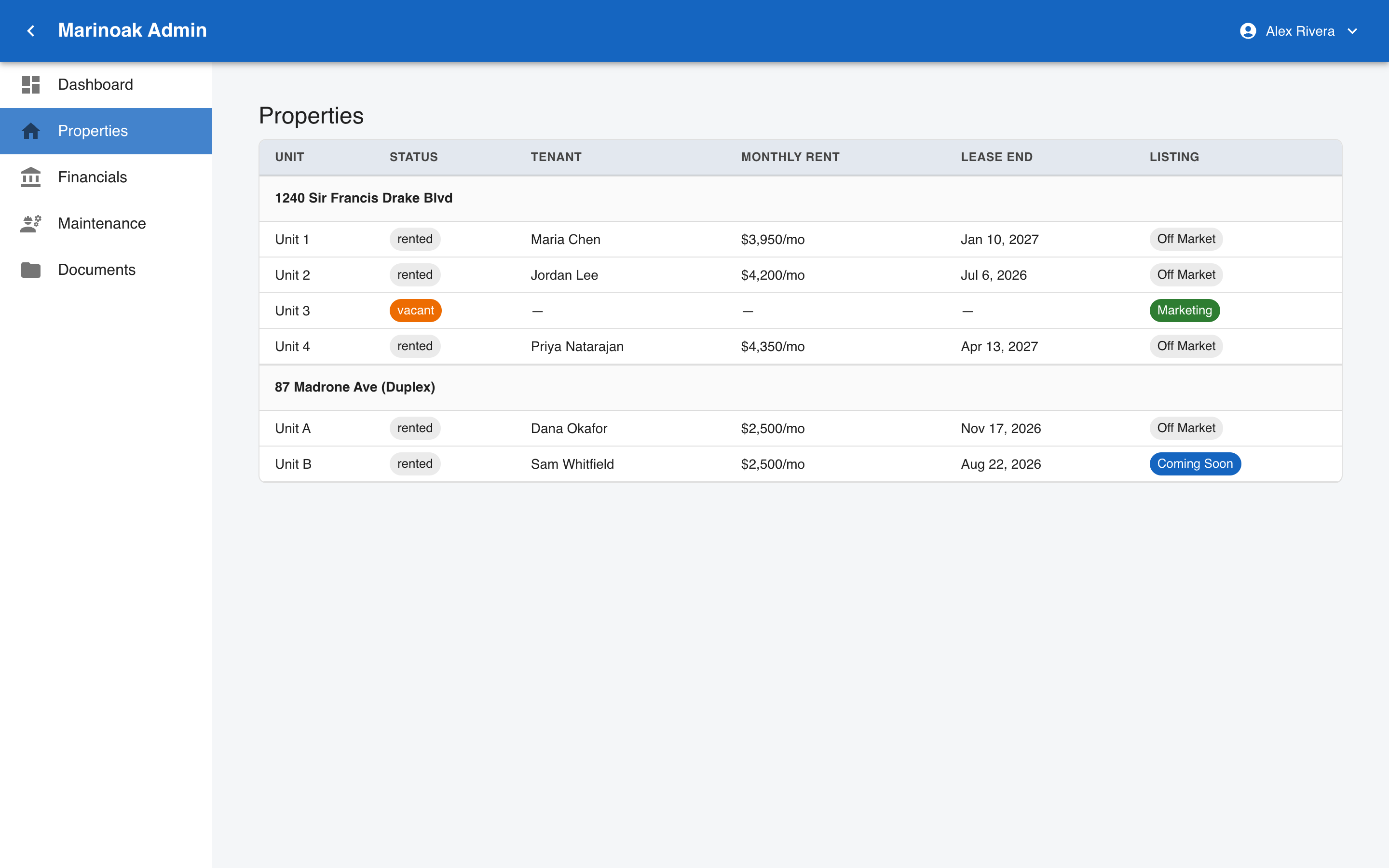
Every property you own, broken down by unit:
- Status —
rentedorvacant. - Tenant — who's in the unit.
- Monthly Rent — the current rent for that unit.
- Lease End — when the current lease term ends.
- Listing — what we're doing with the unit on the marketing side:
- Marketing (green) — vacant and actively advertised.
- Coming Soon — turnover expected; we're pre-marketing it.
- Off Market — occupied, nothing to advertise.
4. Financials — Where Every Dollar Goes
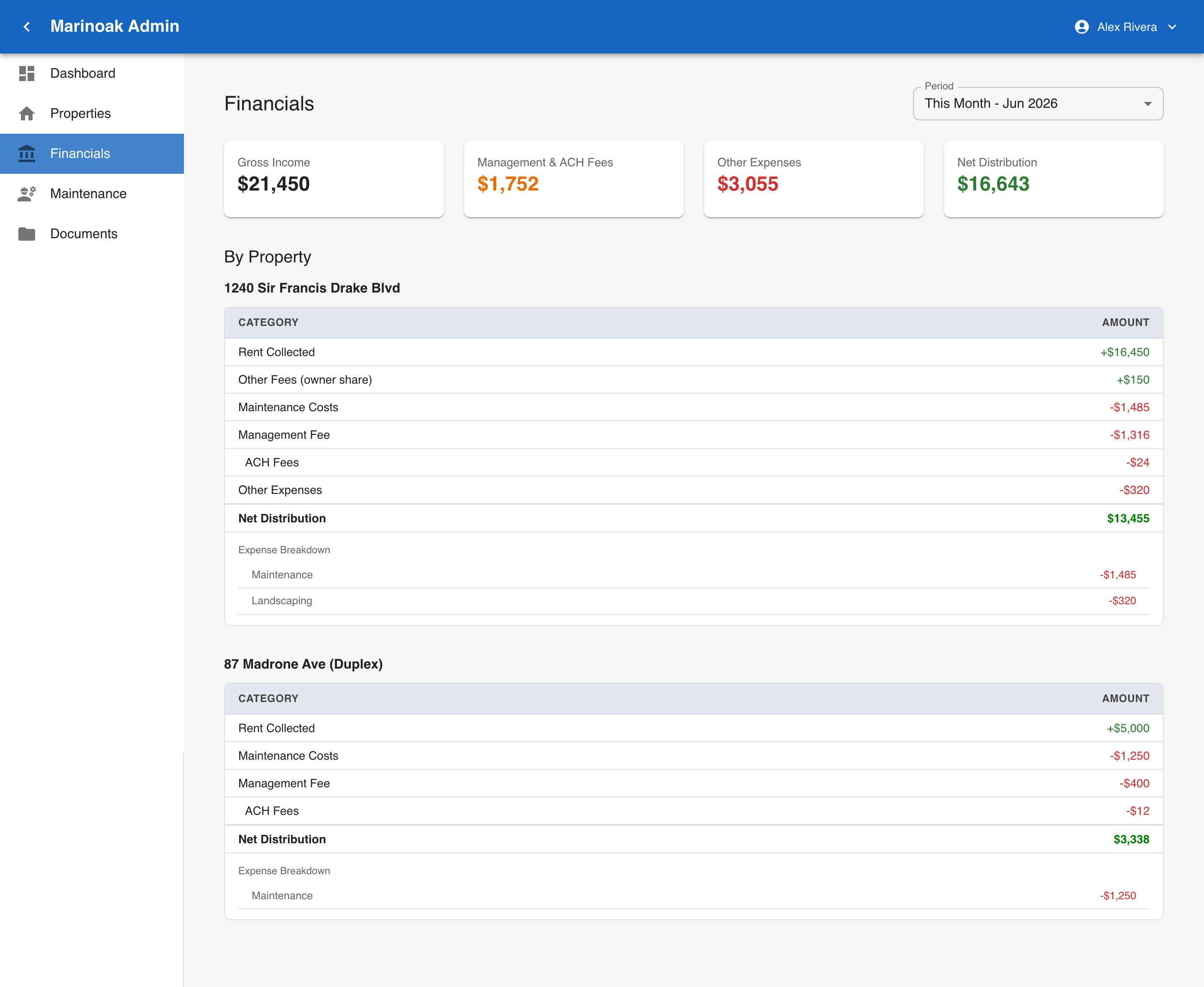
This is the page most owners care about, and it's where we go further than typical property management reporting. You see the complete math behind your distribution — not just a check amount.
Period selector (top right): This Month, Last Month, Next Month, Last Three Months, or Year to Date.
Summary cards:
- Gross Income — all rent and owner-share fees collected in the period.
- Management & ACH Fees — our management fee plus payment-processing fees, as a line item you can always see.
- Other Expenses — maintenance and any other property costs in the period.
- Net Distribution — what's yours after everything above. Green when positive.
By Property: each property gets its own breakdown — rent collected, owner's share of other fees, maintenance costs, management fee, ACH fees, and the property's net distribution. Below that, an Expense Breakdown itemizes expenses by category (e.g., Maintenance, Landscaping), so no cost is ever a mystery line item — and if you want the invoice-level detail behind any line, every figure traces to a specific recorded expense we can show you.
5. Maintenance — What's Being Worked On
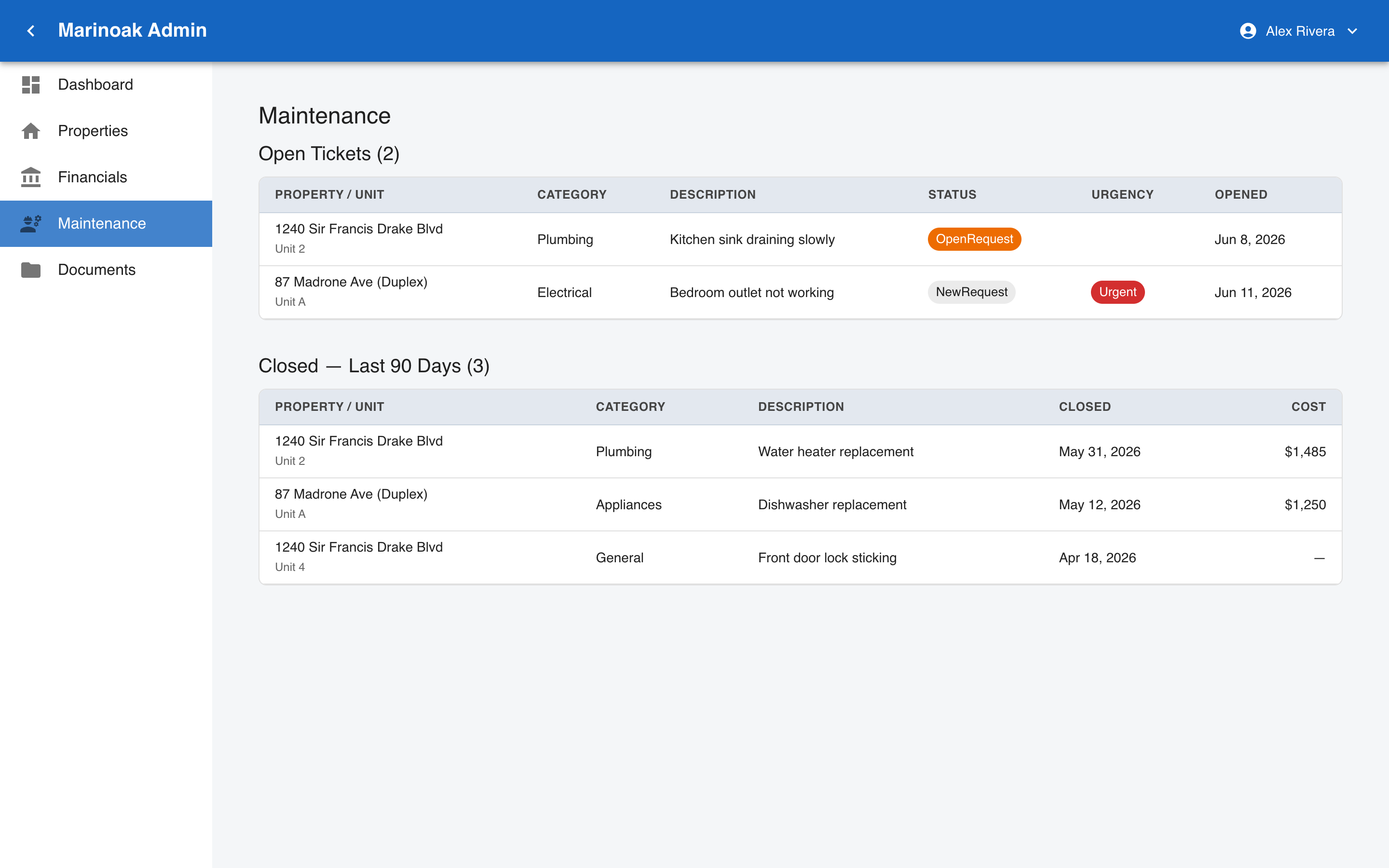
Two tables keep you current without you having to ask:
- Open Tickets — every active work order: property/unit, category, description, status, and when it was opened. Anything with a red Urgent chip in the Urgency column is being handled as a priority.
- Closed — Last 90 Days — recently completed work, including the Cost where one applies. These costs are recorded by our team against your property and are the same figures itemized on your Financials page, so maintenance spending and your net distribution always reconcile.
Ticket statuses you'll see: NewRequest (just submitted), OpenRequest (in progress), ReOpened (follow-up needed), Resolved (done).
6. Documents — Your Paperwork, On Demand
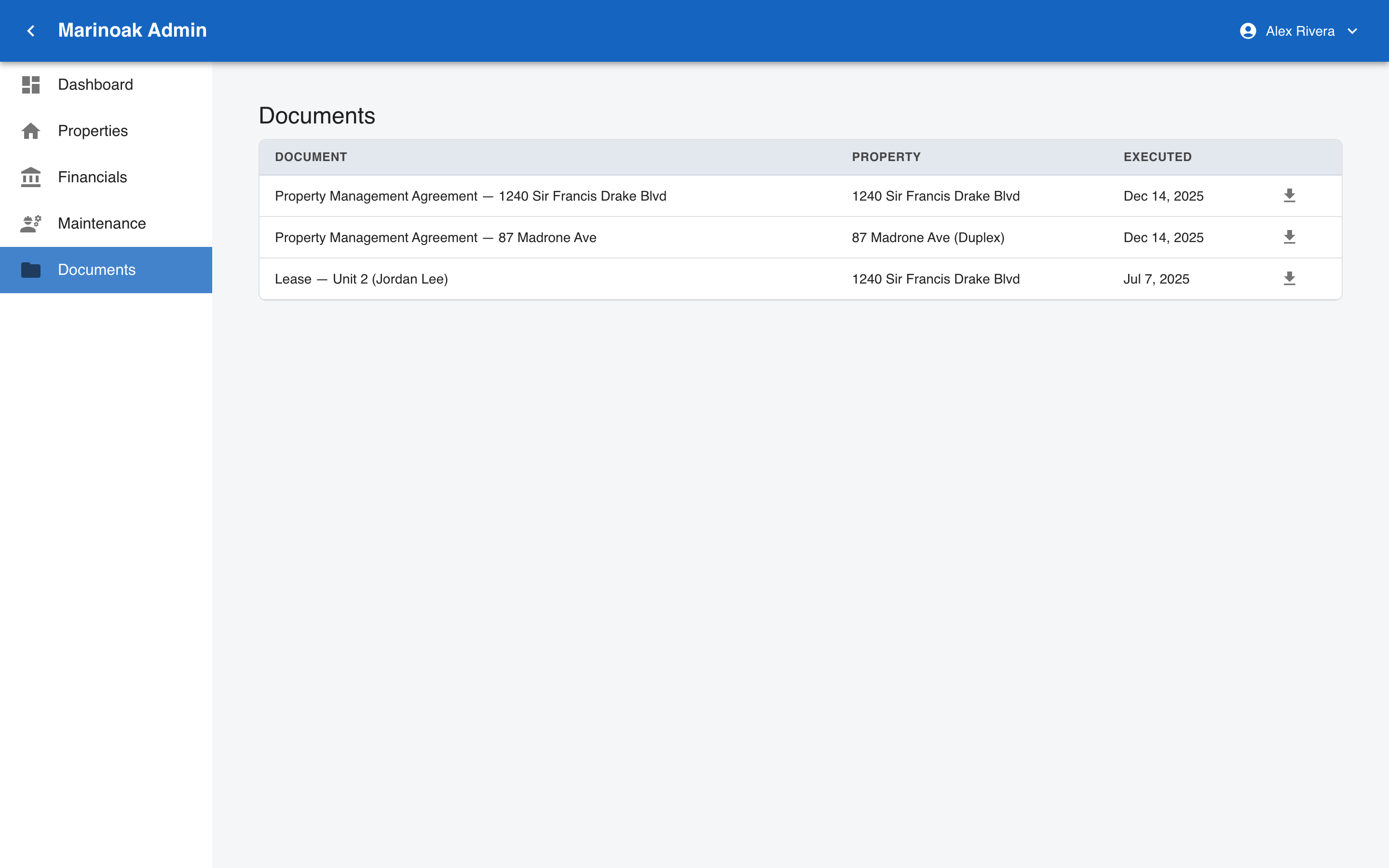
Every fully executed document for your properties — management agreements, leases, notices — listed with its execution date. Click the download icon to save a PDF copy anytime. No more emailing us to ask for a copy of your agreement.
7. Your Account
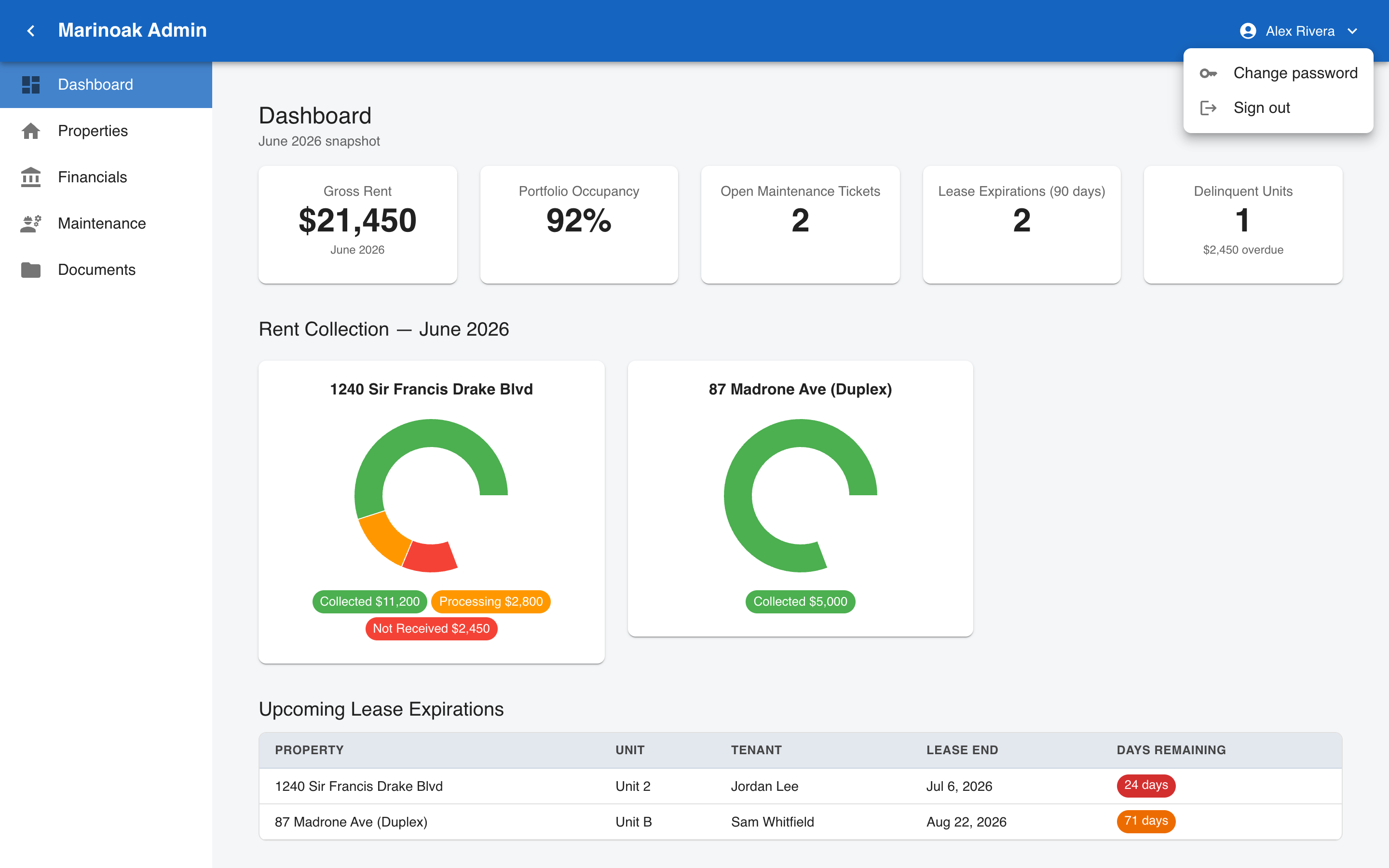
Click your name in the top-right bar to open the account menu:
- Change password — enter your current and new password (8+ characters).
- Sign out — ends your session.
- For your security, you'll be asked to sign in again after closing your browser.
8. Common Questions
How fresh is the data? Fresh on every visit — there's no overnight sync delay. Rent, occupancy, leases, and maintenance ticket status come live from our property-management system each time you open a page. Expenses and fee figures are recorded by our team as costs occur, so a brand-new repair bill may take a short time to appear.
Why don't I see a property I own? Only properties under MarinOak management that we've linked to your account appear. If something's missing, contact us and we'll link it.
Can I see other owners' data? No. Your login is scoped to your properties only.
Is there a mobile app? The portal is a website that works in any browser, including on your phone.
Who do I contact with questions about a number I see? Reach out to MarinOak directly — every figure on the Financials page traces to a specific invoice or expense, and we can show you the source.